Optimisation

Services on time.And always the assets you need.

For critical assets with a maintenance programme: machinery, vehicles, rolling stock or aircraft. PlanifAI decides when and in which workshop each one goes in, without overrunning any interval or dropping below the minimum available.
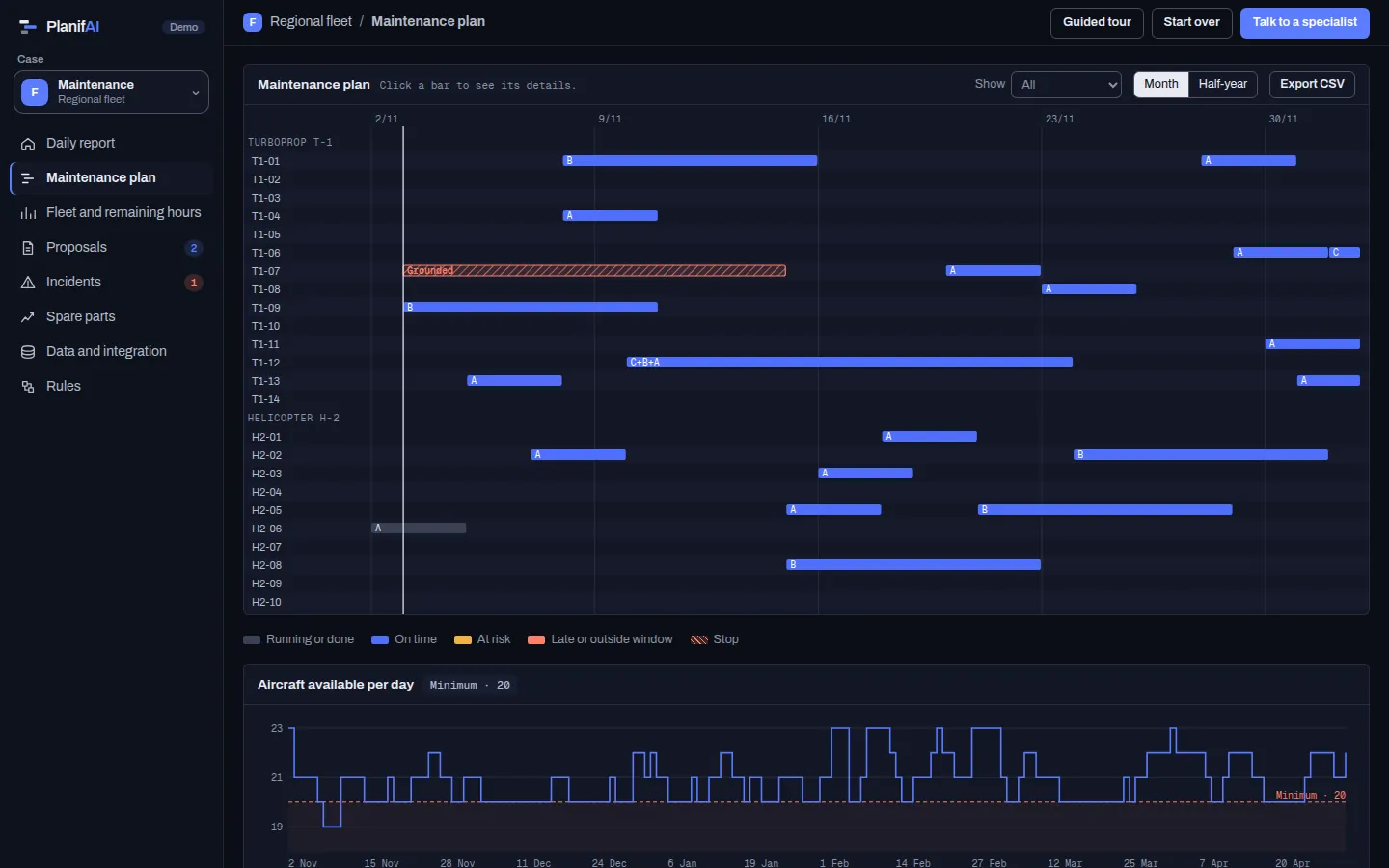
PlanifAI demo: maintenance plan for a 24-aircraft fleet across two bases
Demo screenshot · fictitious company and data

Every service on its date, in its workshop

PlanifAI sets the date and workshop of every service for all your assets over the horizon you choose, from a few months to a year, and respects what is already scheduled.

Rules it models

Service intervalsEach service type has a minimum and a maximum since the previous one, in days or usage hours, which PlanifAI turns into dates using each asset’s expected pace.Hard
Minimum availableThere are never fewer operational assets than operations need.Hard
Workshop capacityHow many assets fit at once in each workshop or base.Hard
Service groupingIf two services on an asset fall close together, they go in the same stop.Soft
Already scheduled servicesWhat already has a date keeps it.Hard

Hard: always met. Soft: met as far as possible and, if not, the plan says by how much.

Optimisation

When something changes, the plan adjusts without losing the minimum

What it aims for, in order

  1. Levelled availability: no weeks with too many assets down at once.
  2. Each service close to its sweet spot: not so early that you waste margin, not so late that you take risks.
  3. Stability: change as little as possible from the current plan, especially in the coming weeks.
An asset goes down
PlanifAI recomputes from that day with what is scheduled kept fixed, and shows you which services change and whether any day drops below the minimum.
An unscheduled inspection comes up
You add it with its date and PlanifAI reorders the rest within workshops and minimums.
The usage pace changes
PlanifAI turns the hour-based intervals into dates again and adjusts the plan.
A spare part does not arrive
The service moves and the plan warns you if any interval is at risk.

What needs attention today comes first

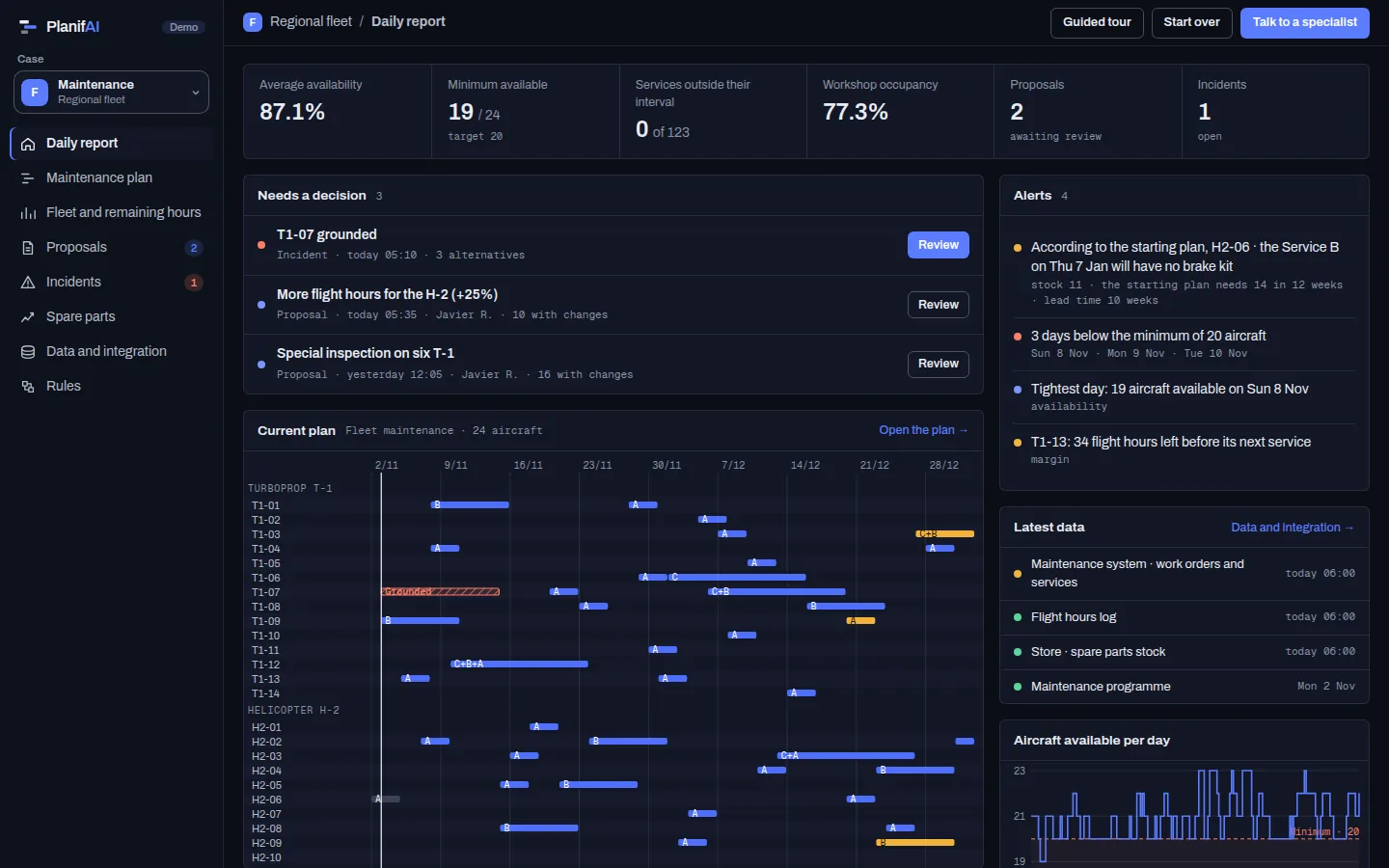
  • The daily report: what is urgent, in order.
  • Availability day by day against the minimum.
  • The load on each workshop.
  • Each asset’s margin until its next service.
See it in the demo
PlanifAI demo: daily report of a 24-aircraft fleet
Demo screenshot · fictitious company and data

Start with what you already have

PlanifAI reads from your maintenance system (CMMS or MRO), your ERP or the spreadsheets you track assets in today, and sends the plan back.

To start, it needs

  • Assets and their status.
  • Maintenance programme: service types, intervals and durations.
  • Accumulated hours, cycles or kilometres and expected pace.
  • Workshops and their capacity.

Back to your systems

  • Date and workshop of each service.
  • Expected availability day by day.
  • Services that change from the previous plan.

Forecasting

Spare parts in time for every service

No service should slip because of a part that could have been ordered. Scheduled consumption comes from the plan’s services; unscheduled consumption, from the forecast.

  • Consumption of each part until the next delivery: what the services need plus the unscheduled share.
  • Suggested reorder point against the one in your ERP or CMMS today.
  • A warning when a service will not have its part, with time to order it.
  • Forecasting can be bought on its own or with the plan; how they connect is decided in the project.
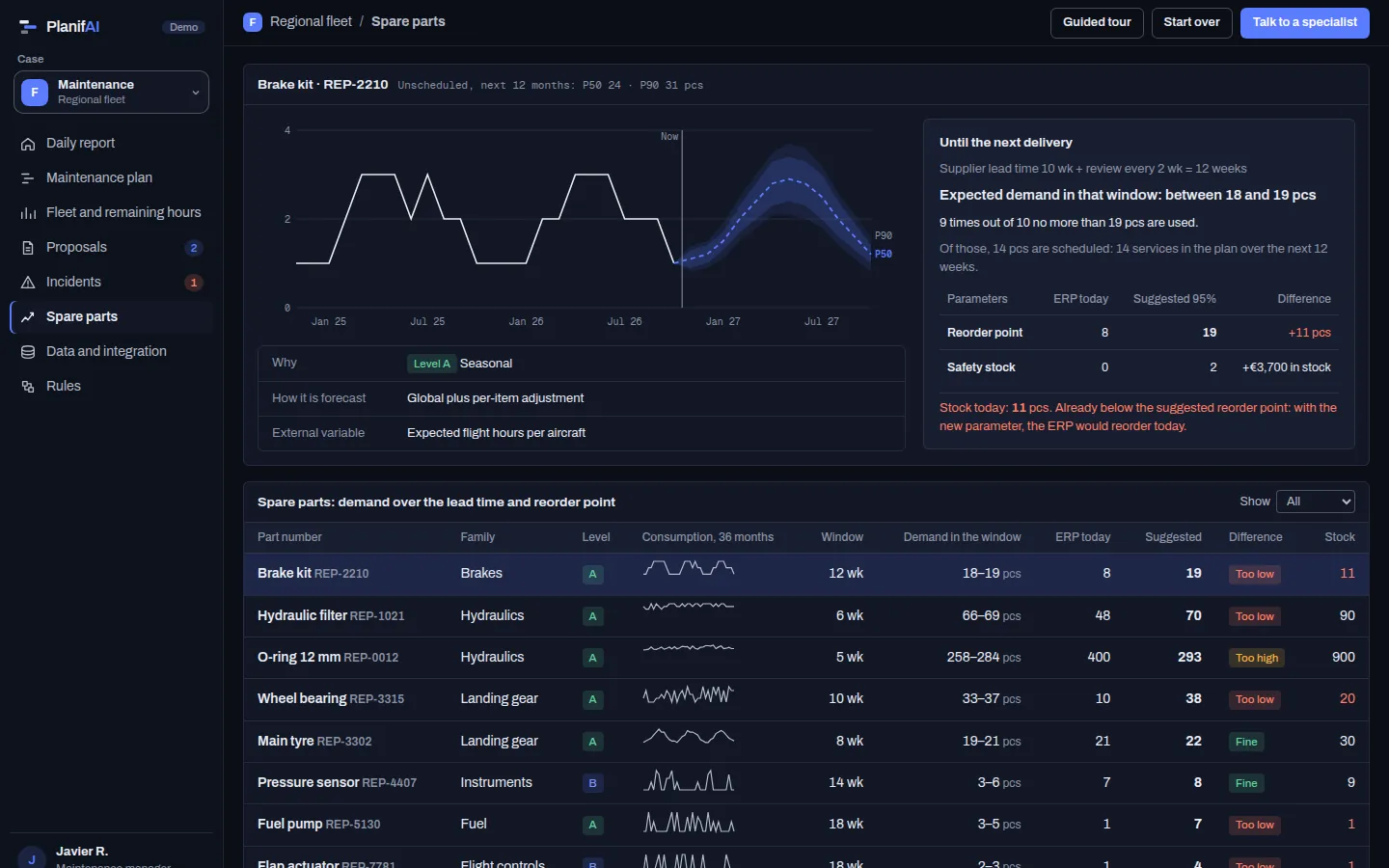
PlanifAI demo: fleet spare parts with consumption scheduled by the plan and the suggested reorder point
Demo screenshot · fictitious company and data

Questions

I already have a CMMS. Why would I need this?

Your CMMS stays the system of record: assets, work orders and compliance. PlanifAI answers the question before the work order: when and where each asset goes in so intervals are met without dropping below the minimum available.

Does it work for assets that are not aircraft?

Yes. All it takes is assets, services with intervals and workshops with capacity: plant machinery, vehicles, rolling stock or aircraft.

Does it work on a network without internet?

Yes. It installs on your own server, including isolated networks, with the full application.

Bring your programme and your assets. We show you which days availability runs tight.

With your maintenance programme we compute the service plan and show you the days when availability runs tight.