Optimisation
Every absence, covered.With the agreement in view.
For process plants, quality labs and maintenance teams that work in shifts. When someone is absent, PlanifAI proposes several scored covers and shows you the roster before you confirm.
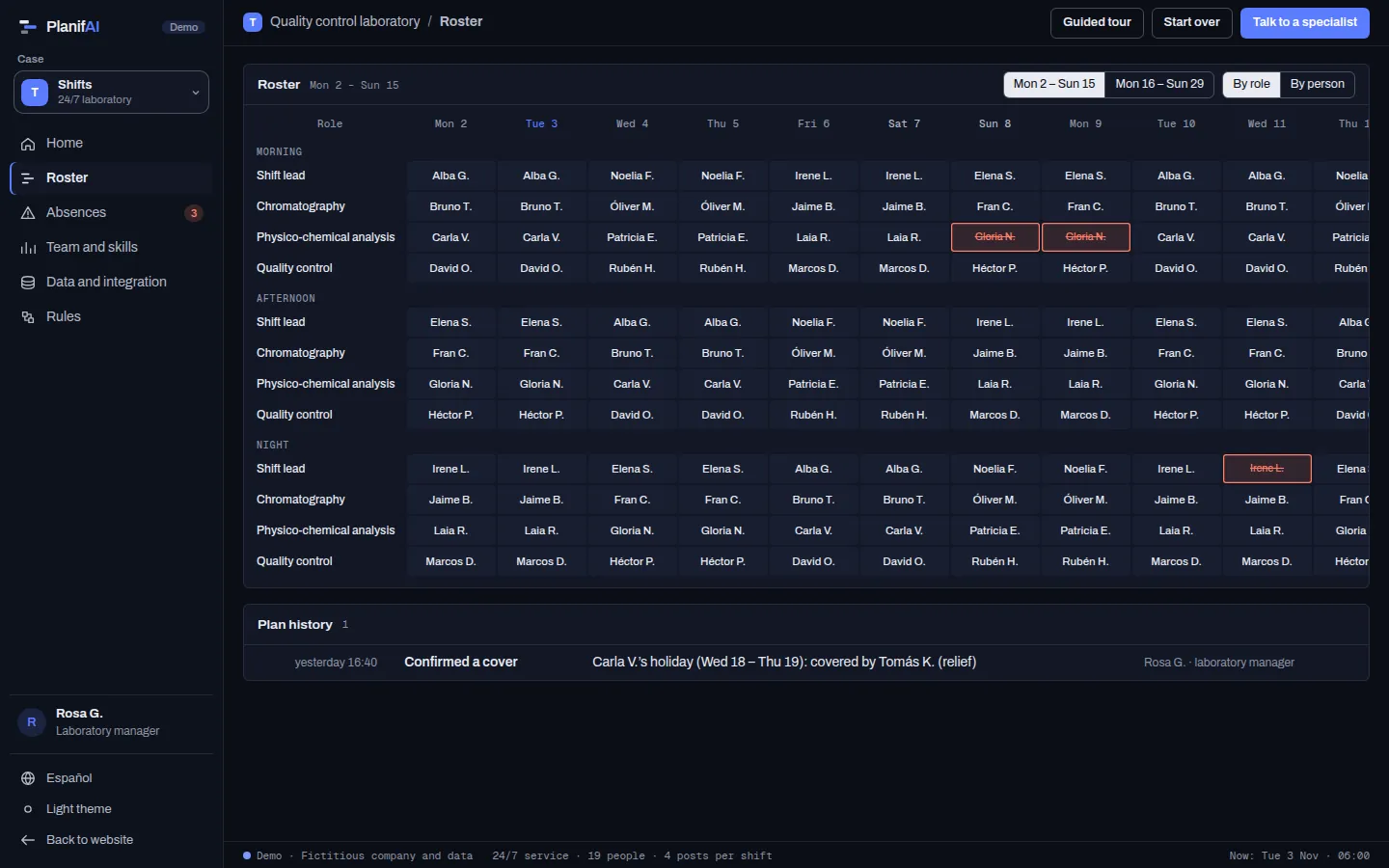
Who covers each shift, within the agreement
When someone is absent, PlanifAI looks for the combination of changes that solves it best, within the collective agreement and the skills of each role.
Rules it models
| Minimum rest | Hours between the end of one shift and the next, with a recommended value above the minimum. | Hard |
|---|---|---|
| Skills per role | Only someone qualified for a role can cover it. | Hard |
| Relief-shift allowance | The available relief days are shared out without going over. | Hard |
| Consecutive days | A maximum number of working days in a row. | Soft |
| Weekends off | Each person’s weekends off are protected. | Soft |
| 12-hour days | Shifts can be extended, within limits. | Soft |
Hard: always met. Soft: met as far as possible and, if not, the plan says by how much.
Optimisation
When someone is absent, several ways out with their price
What it aims for, in order
- Cover the shift: no absence is left unresolved.
- Break the agreement’s soft rules as little as possible.
- Share the effort and move as few people as possible.
- Sick leave or a permit
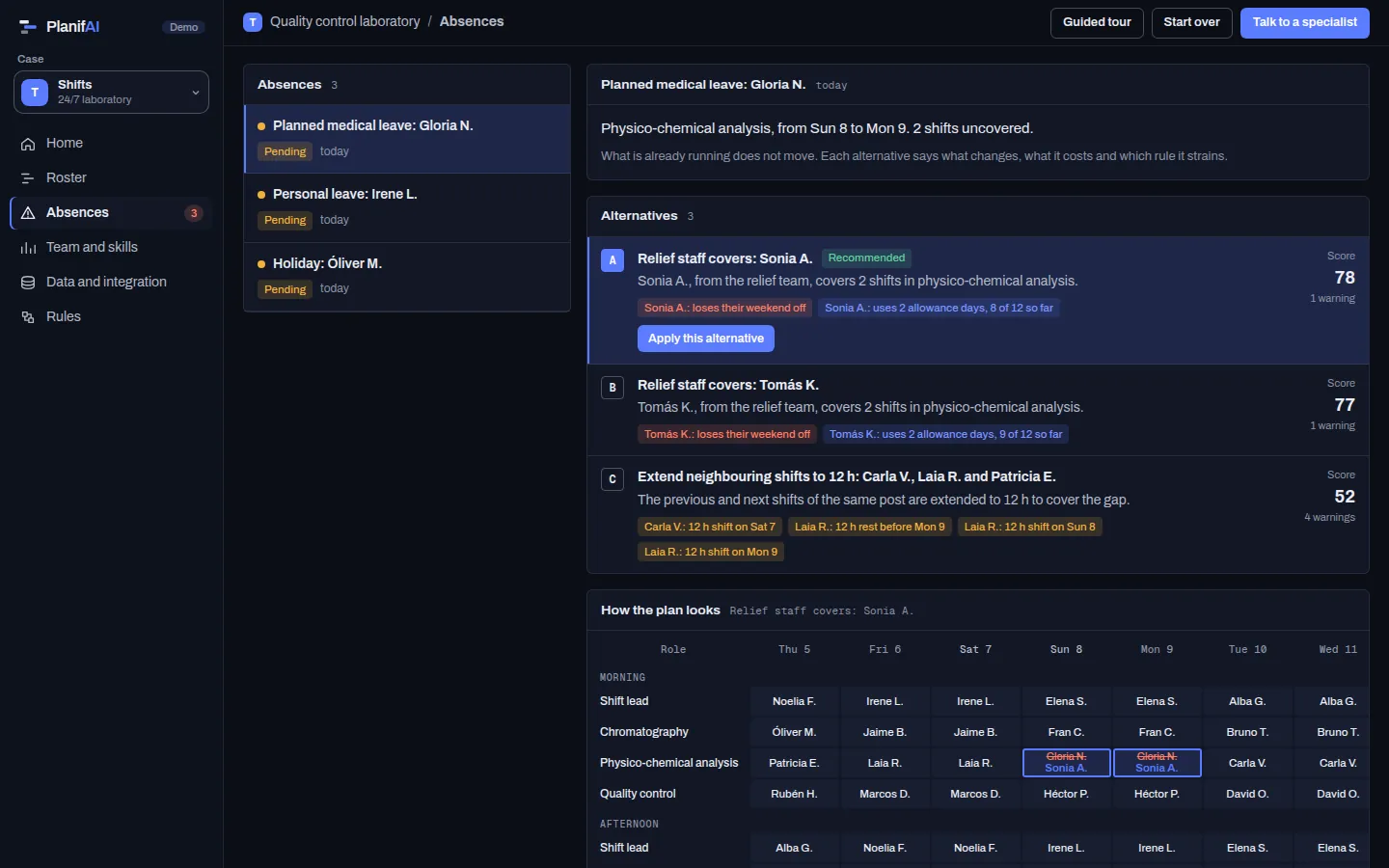
- You get several covers (a relief shift, someone from another role with the skill, extending the neighbouring shifts or a double shift), each with its score and warnings.
- A last-minute absence
- PlanifAI computes the alternatives on the spot and you see them on the roster before confirming.
- Two absences at once
- PlanifAI takes each absence type’s priority into account and reassigns covers if needed.
- A manual change
- If you decide it yourself, PlanifAI checks it against the same rules before saving it.
Every cover, explained on the roster
- The roster by role, shift and day, or by person.
- Absences with their type and status.
- For each absence, the scored covers and warnings in plain language.
- Who recorded each change and what changed.
Start with what you already have
PlanifAI reads from your HR, time-tracking or payroll system, or the roster spreadsheet, and sends the covers back.
To start, it needs
- Staff and each person’s skills.
- Roles and shifts, with their hours.
- Base roster or rotation pattern.
- The agreement rules you apply.
Back to your systems
- Roster with the confirmed covers.
- Changes per person, with author and date.
- Pending agreement warnings.
Questions
Does it build the roster from scratch?
Its strength is solving absences on a roster that already exists. Generating the full roster is studied case by case.
Are the rules those of my agreement?
Yes. Rest periods, consecutive days, weekends and skills are set with your values.
Who decides the cover?
The person in charge. PlanifAI proposes and explains; nothing is applied until you confirm it.
Pick a recent absence. We show you how we would have covered it.
With your roster and your rules we show you the covers PlanifAI would have proposed and which rule each one strains.

